Exercism - Robot Simulator
This post shows you how to get Robot Simulator exercise of Exercism.

Preparation
Before we click on our next exercise, let’s see what concepts of DART we need to consider
So we need to use the following concepts.
Classes and Objects
Classes define blueprints for creating objects. Objects are instances of classes that contain data (fields) and behavior (methods).
class Robot {
  Position position;
  Orientation orientation;

  Robot(this.position, this.orientation);
}

void main() {
  // Create a robot
  Position startPos = Position(7, 3);
  Robot robot = Robot(startPos, Orientation.north);

  print(robot.position.x); // 7
  print(robot.orientation); // Orientation.north
}
Enums
Enums define a set of named constants. They’re perfect for representing a fixed set of values like directions.
enum Orientation {
  north,
  east,
  south,
  west,
}

void main() {
  Orientation dir = Orientation.north;
  print(dir); // Orientation.north

  // Use in switch statements
  switch (dir) {
    case Orientation.north:
      print("Facing north");
      break;
    case Orientation.east:
      print("Facing east");
      break;
    // ...
  }
}
Records (Tuples)
Records allow you to group multiple values together. They’re useful for representing coordinate pairs or direction vectors.
void main() {
  // Record syntax: (x, y)
  var point = (0, 1);
  print(point); // (0, 1)

  // Destructure records
  var (x, y) = point;
  print(x); // 0
  print(y); // 1

  // Use in maps
  Map<Orientation, (int, int)> vectors = {
    Orientation.north: (0, 1),
    Orientation.east: (1, 0),
  };

  // Access record values
  var (dx, dy) = vectors[Orientation.north]!;
  print(dx); // 0
  print(dy); // 1
}
Static Const Maps
Static const maps are class-level constants that can be accessed without creating an instance. They’re perfect for lookup tables.
class Robot {
  // Static const map - shared by all instances
  static const _directionVectors = {
    Orientation.north: (0, 1),
    Orientation.east: (1, 0),
    Orientation.south: (0, -1),
    Orientation.west: (-1, 0),
  };

  // Access without instance
  void move() {
    var vector = _directionVectors[Orientation.north];
    // Use vector...
  }
}

void main() {
  // Can access static members without instance
  // (though private, so only within class)
}
For Loops
For loops allow you to iterate through a collection. They’re essential for processing each instruction character.
void main() {
  String instructions = "RAALAL";

  // Iterate through each character
  for (var instruction in instructions.split('')) {
    print(instruction); // R, A, A, L, A, L
  }

  // Process each instruction
  for (var instruction in instructions.split('')) {
    switch (instruction) {
      case 'R':
        print("Turn right");
        break;
      case 'L':
        print("Turn left");
        break;
      case 'A':
        print("Advance");
        break;
    }
  }
}
Switch Statements
Switch statements allow you to check a value against multiple cases and execute different code for each case. They’re perfect for handling different instruction types.
void main() {
  String instruction = 'R';

  switch (instruction) {
    case 'R':
      print("Turn right");
      break;
    case 'L':
      print("Turn left");
      break;
    case 'A':
      print("Advance");
      break;
    default:
      print("Unknown instruction");
  }
}
String Split Method
The split() method divides a string into a list of substrings. When called with an empty string '', it splits the string into individual characters.
void main() {
  String instructions = "RAALAL";

  // Split into individual characters
  List<String> chars = instructions.split('');
  print(chars); // [R, A, A, L, A, L]

  // Iterate through characters
  for (var char in instructions.split('')) {
    print(char); // R, A, A, L, A, L
  }
}
Null Assertion Operator
The null assertion operator (!) tells Dart that you’re certain a value is not null. Use it when you know a map lookup will succeed.
void main() {
  Map<Orientation, (int, int)> vectors = {
    Orientation.north: (0, 1),
  };

  // Without null assertion (nullable)
  var vector1 = vectors[Orientation.north]; // (int, int)?

  // With null assertion (non-nullable)
  var vector2 = vectors[Orientation.north]!; // (int, int)

  // Use when you're certain the key exists
  var (dx, dy) = vectors[Orientation.north]!;
  print(dx); // 0
  print(dy); // 1
}
Map Lookup
Maps allow you to look up values by key. They’re perfect for translating orientations to direction vectors or turn directions.
void main() {
  // Map orientation to direction vector
  Map<Orientation, (int, int)> vectors = {
    Orientation.north: (0, 1),
    Orientation.east: (1, 0),
    Orientation.south: (0, -1),
    Orientation.west: (-1, 0),
  };

  // Lookup direction vector
  var vector = vectors[Orientation.north]!;
  var (dx, dy) = vector;
  print(dx); // 0
  print(dy); // 1

  // Map current orientation to next orientation after right turn
  Map<Orientation, Orientation> rightTurns = {
    Orientation.north: Orientation.east,
    Orientation.east: Orientation.south,
    Orientation.south: Orientation.west,
    Orientation.west: Orientation.north,
  };

  Orientation current = Orientation.north;
  Orientation next = rightTurns[current]!;
  print(next); // Orientation.east
}
Introduction
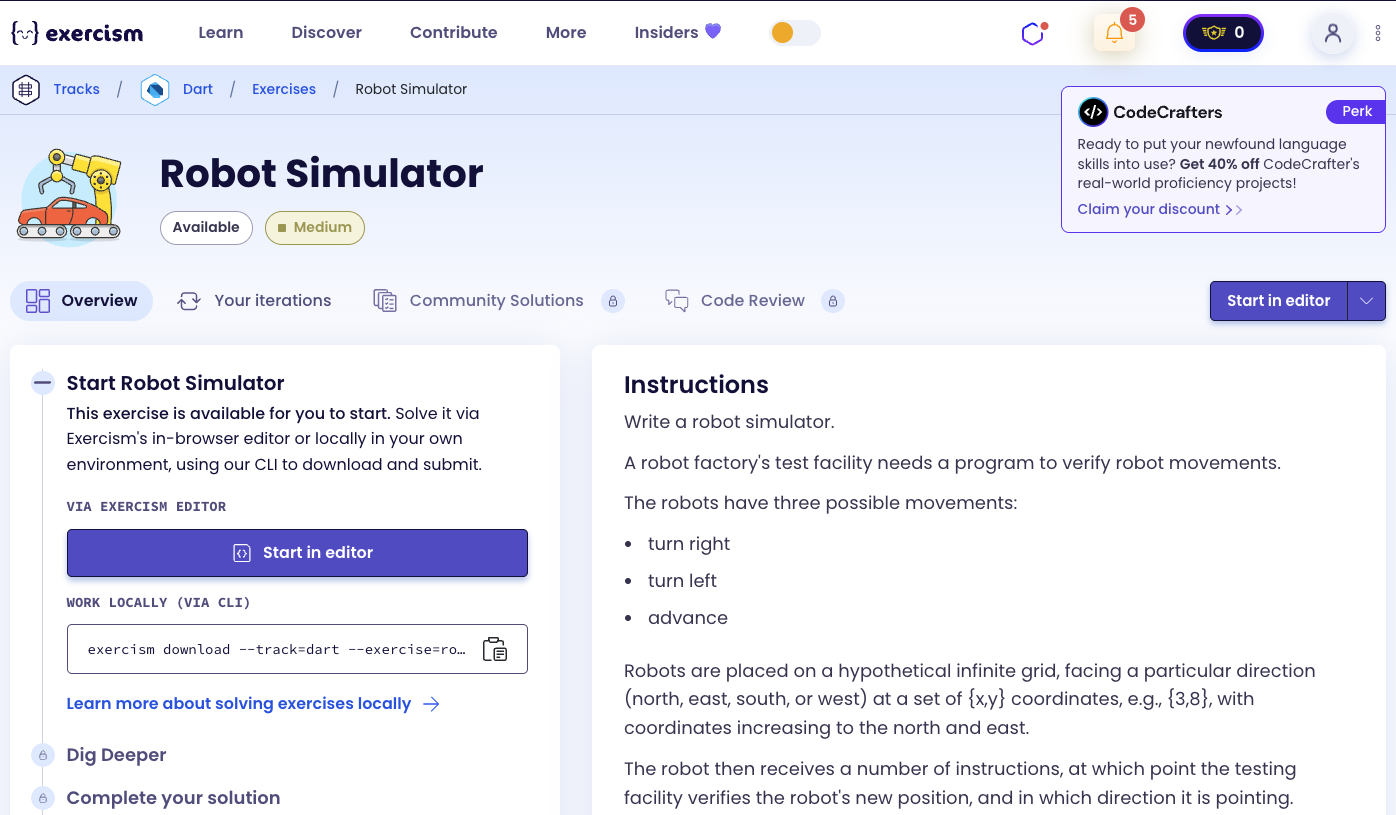
Write a robot simulator.
A robot factory’s test facility needs a program to verify robot movements.
The robots have three possible movements:
- turn right
- turn left
- advance
Robots are placed on a hypothetical infinite grid, facing a particular direction (north, east, south, or west) at a set of {x,y} coordinates, e.g., {3,8}, with coordinates increasing to the north and east.
The robot then receives a number of instructions, at which point the testing facility verifies the robot’s new position, and in which direction it is pointing.
Example
The letter-string “RAALAL” means:
- R - Turn right
- A - Advance twice
- A - Advance
- L - Turn left
- A - Advance once
- L - Turn left yet again
Say a robot starts at {7, 3} facing north. Then running this stream of instructions should leave it at {9, 4} facing west.
How does the robot move?
To simulate robot movement:
- Initialize: Create a robot with a starting position and orientation
- Process instructions: For each character in the instruction string:
- ‘R’: Turn right (north → east → south → west → north)
- ‘L’: Turn left (north → west → south → east → north)
- ‘A’: Advance in the current direction
- Update position: When advancing, add the direction vector to the current position
- Update orientation: When turning, look up the new orientation from a turn map
The key insight is using maps to translate:
- Orientation → Direction Vector: Maps each direction to (dx, dy) movement
- Orientation → Next Orientation (Right Turn): Maps current direction to direction after right turn
- Orientation → Next Orientation (Left Turn): Maps current direction to direction after left turn
For example, with starting position {7, 3} facing north and instructions “RAALAL”:
- Start: {7, 3}, facing north
- R: Turn right → facing east
- A: Advance east → {8, 3}
- A: Advance east → {9, 3}
- L: Turn left → facing north
- A: Advance north → {9, 4}
- L: Turn left → facing west
- Final: {9, 4}, facing west
Solution
import 'orientation.dart';
import 'position.dart';

class Robot {
  Position position;
  Orientation orientation;

  Robot(this.position, this.orientation);

  static const _directionVectors = {
    Orientation.north: (0, 1),
    Orientation.east: (1, 0),
    Orientation.south: (0, -1),
    Orientation.west: (-1, 0),
  };

  static const _rightTurns = {
    Orientation.north: Orientation.east,
    Orientation.east: Orientation.south,
    Orientation.south: Orientation.west,
    Orientation.west: Orientation.north,
  };

  static const _leftTurns = {
    Orientation.north: Orientation.west,
    Orientation.west: Orientation.south,
    Orientation.south: Orientation.east,
    Orientation.east: Orientation.north,
  };

  void move(String instructions) {
    for (var instruction in instructions.split('')) {
      switch (instruction) {
        case 'R':
          orientation = _rightTurns[orientation]!;
          break;
        case 'L':
          orientation = _leftTurns[orientation]!;
          break;
        case 'A':
          final (dx, dy) = _directionVectors[orientation]!;
          position = Position(position.x + dx, position.y + dy);
          break;
      }
    }
  }
}
Let’s break down the solution:
-
class Robot- Robot class with position and orientation:Position position: Current (x, y) coordinatesOrientation orientation: Current facing direction (north, east, south, west)Robot(this.position, this.orientation): Constructor that initializes position and orientation
-
static const _directionVectors- Maps orientation to movement vector:Orientation.north: (0, 1): Moving north increases y by 1Orientation.east: (1, 0): Moving east increases x by 1Orientation.south: (0, -1): Moving south decreases y by 1Orientation.west: (-1, 0): Moving west decreases x by 1- Static const means it’s shared by all instances and can’t be modified
-
static const _rightTurns- Maps current orientation to orientation after right turn:Orientation.north → Orientation.east: North → EastOrientation.east → Orientation.south: East → SouthOrientation.south → Orientation.west: South → WestOrientation.west → Orientation.north: West → North- Forms a clockwise cycle
-
static const _leftTurns- Maps current orientation to orientation after left turn:Orientation.north → Orientation.west: North → WestOrientation.west → Orientation.south: West → SouthOrientation.south → Orientation.east: South → EastOrientation.east → Orientation.north: East → North- Forms a counter-clockwise cycle
-
void move(String instructions)- Processes instruction string:- Takes a string of instructions (e.g., “RAALAL”)
- Iterates through each character using
for (var instruction in instructions.split('')) - Uses switch statement to handle each instruction type
-
case 'R'- Turn right:orientation = _rightTurns[orientation]!: Looks up new orientation after right turn- Uses null assertion operator (
!) because we know the key exists - Updates the robot’s orientation
-
case 'L'- Turn left:orientation = _leftTurns[orientation]!: Looks up new orientation after left turn- Updates the robot’s orientation
-
case 'A'- Advance:final (dx, dy) = _directionVectors[orientation]!: Gets direction vector for current orientation- Destructures the record into dx and dy components
position = Position(position.x + dx, position.y + dy): Creates new position by adding vector to current position- Updates the robot’s position
The solution efficiently simulates robot movement by using lookup maps for direction vectors and turn directions, making the code clean and maintainable.
A video tutorial for this exercise is coming soon! In the meantime, check out my YouTube channel for more Dart and Flutter tutorials. 😉
Visit My YouTube Channel