Exercism - RNA Transcription
This post shows you how to get RNA Transcription exercise of Exercism.

Preparation
Before we click on our next exercise, let’s see what concepts of DART we need to consider
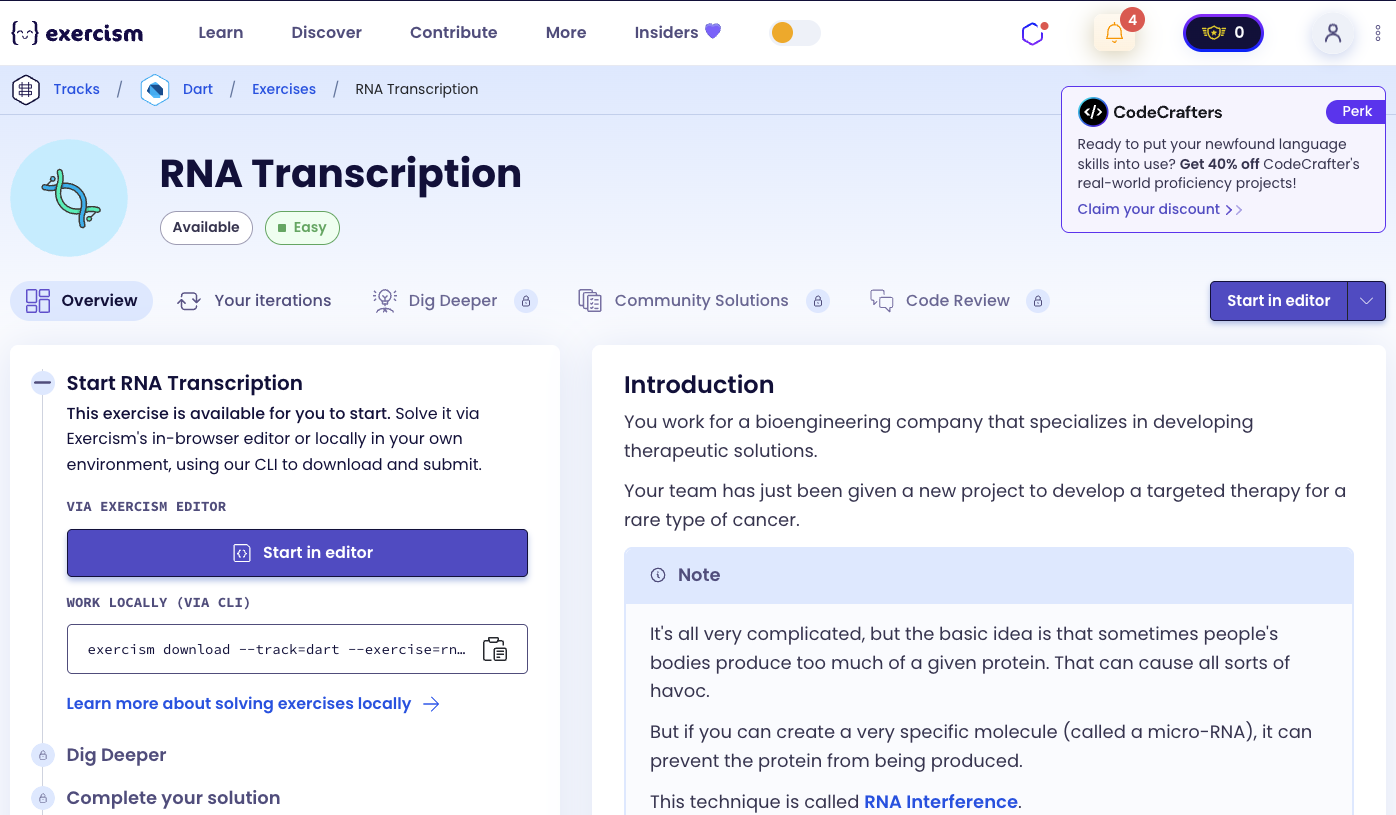
So we need to use the following concepts.
Maps
A Map is a collection of key-value pairs. Each key in a map is unique, and you can use keys to look up their corresponding values. Maps are perfect for creating lookup tables or translation dictionaries.
void main() {
  // Map with String keys and String values
  Map<String, String> complements = {
    'G': 'C',
    'C': 'G',
    'T': 'A',
    'A': 'U',
  };

  // Accessing values
  print(complements['G']); // C
  print(complements['T']); // A

  // Using map for translation
  String dna = 'G';
  String rna = complements[dna]!;
  print(rna); // C
}
String Split Method
The split() method divides a string into a list of substrings. When called with an empty string '', it splits the string into individual characters.
void main() {
  String dna = "GCTA";

  // Split into individual characters
  List<String> chars = dna.split('');
  print(chars); // [G, C, T, A]

  // Split by delimiter
  String sentence = "hello world";
  List<String> words = sentence.split(' ');
  print(words); // [hello, world]
}
Map Method
The map() method transforms each element in a collection. It takes a function that defines how to transform each element and returns an iterable of transformed values.
void main() {
  List<int> numbers = [1, 2, 3, 4, 5];

  // Double each number
  var doubled = numbers.map((n) => n * 2);
  print(doubled.toList()); // [2, 4, 6, 8, 10]

  // Transform strings
  List<String> letters = ['a', 'b', 'c'];
  var upper = letters.map((l) => l.toUpperCase());
  print(upper.toList()); // [A, B, C]

  // Using map with a lookup table
  Map<String, String> lookup = {'a': 'A', 'b': 'B', 'c': 'C'};
  List<String> input = ['a', 'b', 'c'];
  var transformed = input.map((e) => lookup[e]!);
  print(transformed.toList()); // [A, B, C]
}
ToList Method
The toList() method converts an iterable (like the result of map()) into a list. This is necessary when you need a concrete list rather than an iterable.
void main() {
  List<int> numbers = [1, 2, 3];

  // map() returns an Iterable, not a List
  var doubled = numbers.map((n) => n * 2);
  print(doubled.runtimeType); // MappedListIterable<int, int>

  // Convert to List
  List<int> doubledList = doubled.toList();
  print(doubledList.runtimeType); // List<int>
  print(doubledList); // [2, 4, 6]
}
String Join Method
The join() method combines all elements of a list into a single string. You can optionally specify a separator string between elements.
void main() {
  List<String> chars = ['G', 'C', 'T', 'A'];

  // Join without separator
  String result = chars.join();
  print(result); // GCTA

  // Join with separator
  String withSpace = chars.join(' ');
  print(withSpace); // G C T A

  // Join with custom separator
  String withDash = chars.join('-');
  print(withDash); // G-C-T-A
}
Method Chaining
Method chaining allows you to call multiple methods in sequence. Each method operates on the result of the previous one, creating a pipeline of transformations.
void main() {
  String dna = "GCTA";

  // Chain multiple operations
  String rna = dna
      .split('')           // ['G', 'C', 'T', 'A']
      .map((e) => e.toUpperCase())  // ['G', 'C', 'T', 'A']
      .toList()            // List<String>
      .join();             // "GCTA"

  print(rna);

  // More complex chain
  Map<String, String> lookup = {'G': 'C', 'C': 'G', 'T': 'A', 'A': 'U'};
  String result = "GCTA"
      .split('')
      .map((e) => lookup[e]!)
      .toList()
      .join();
  print(result); // CGUA
}
Introduction
You work for a bioengineering company that specializes in developing therapeutic solutions.
Your team has just been given a new project to develop a targeted therapy for a rare type of cancer.
Note
It’s all very complicated, but the basic idea is that sometimes people’s bodies produce too much of a given protein. That can cause all sorts of havoc.
But if you can create a very specific molecule (called a micro-RNA), it can prevent the protein from being produced.
This technique is called RNA Interference.
Instructions
Your task is to determine the RNA complement of a given DNA sequence.
Both DNA and RNA strands are a sequence of nucleotides.
The four nucleotides found in DNA are adenine (A), cytosine (C), guanine (G), and thymine (T).
The four nucleotides found in RNA are adenine (A), cytosine (C), guanine (G), and uracil (U).
Given a DNA strand, its transcribed RNA strand is formed by replacing each nucleotide with its complement:
- G -> C
- C -> G
- T -> A
- A -> U
What is RNA Transcription?
RNA transcription is the process by which the information in a DNA sequence is copied into a complementary RNA sequence. In DNA, the base thymine (T) pairs with adenine (A), and guanine (G) pairs with cytosine (C). However, in RNA transcription, thymine (T) is replaced by uracil (U), so the pairing becomes: A pairs with U, and G pairs with C.
This is a fundamental process in molecular biology, as RNA serves as a template for protein synthesis. The RNA complement of a DNA strand is created by replacing each nucleotide according to specific rules.
— Molecular Biology
How can we transcribe DNA to RNA?
To transcribe DNA to RNA:
- Create a complement map: Use a Map to store the DNA-to-RNA complement mappings (G→C, C→G, T→A, A→U)
- Split the DNA string: Convert the DNA string into a list of individual characters
- Map each character: Transform each DNA nucleotide to its RNA complement using the map
- Join the results: Combine all the transformed characters back into a single string
The key insight is using a Map as a lookup table to translate each DNA nucleotide to its RNA complement, then using method chaining to process the entire string efficiently.
For example, with DNA strand “GCTA”:
- Split: [‘G’, ‘C’, ‘T’, ‘A’]
- Map: [‘C’, ‘G’, ‘A’, ‘U’] (using the complement map)
- Join: “CGAU”
Solution
class RnaTranscription {
  String toRna(String dna) {
    Map rna = {
      'C': 'G',
      'G': 'C',
      'T': 'A',
      'A': 'U'
    };

    return dna.split('').map((e) => rna[e]).toList().join();
  }
}
Let’s break down the solution:
-
Map rna = {...}- Creates a lookup table for DNA-to-RNA complements:- Maps each DNA nucleotide to its RNA complement
- ‘C’ → ‘G’, ‘G’ → ‘C’, ‘T’ → ‘A’, ‘A’ → ‘U’
- This map serves as a translation dictionary
-
dna.split('')- Splits the DNA string into individual characters:- Converts “GCTA” into [‘G’, ‘C’, ‘T’, ‘A’]
- Each character can now be processed individually
-
.map((e) => rna[e])- Transforms each DNA nucleotide to its RNA complement:- For each character
ein the list, looks up its complement in thernamap - Returns an iterable of RNA nucleotides: [‘C’, ‘G’, ‘A’, ‘U’]
- For each character
-
.toList()- Converts the iterable to a concrete list:- Necessary because
map()returns an iterable, not a list - Prepares the data for the
join()method
- Necessary because
-
.join()- Combines all list elements into a single string:- Joins [‘C’, ‘G’, ‘A’, ‘U’] into “CGAU”
- Returns the final RNA complement string
The solution uses method chaining to create a clean, functional pipeline: split → map → toList → join. This approach is concise and readable, transforming the entire DNA string to its RNA complement in a single expression.
You can watch this tutorial on YouTube. So don’t forget to like and subscribe. 😉
Watch on YouTube