Exercism - Matching Brackets
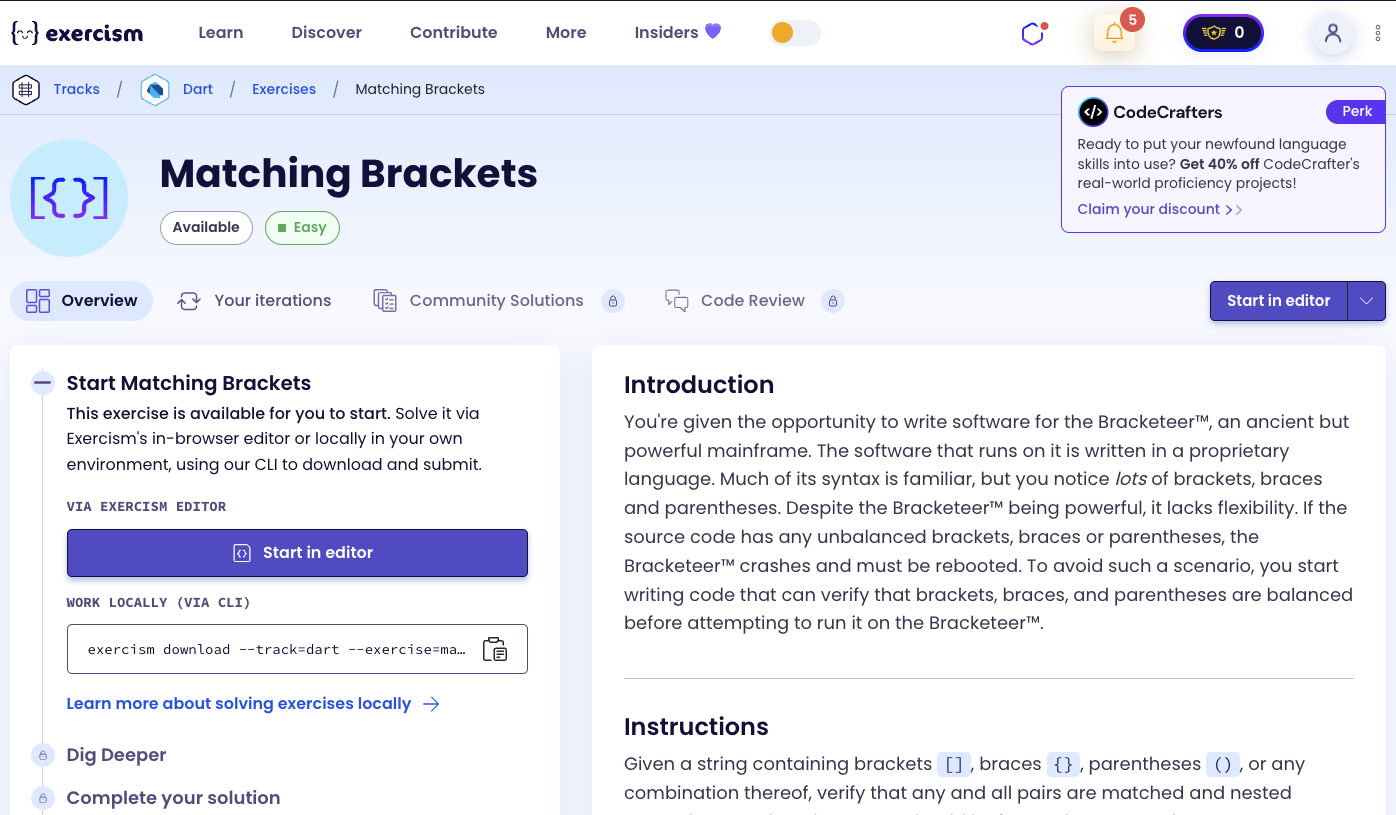
This post shows you how to get Matching Brackets exercise of Exercism.

Preparation
Before we click on our next exercise, let’s see what concepts of DART we need to consider
So we need to use the following concepts.
Lists as Stacks
A stack is a data structure that follows Last-In-First-Out (LIFO) principle. Lists in Dart can be used as stacks with add() for push and removeLast() for pop.
void main() {
  List<String> stack = [];

  // Push (add to end)
  stack.add('(');
  stack.add('[');
  stack.add('{');
  print(stack); // [(, [, {]

  // Peek (view top without removing)
  String top = stack.last;
  print(top); // {

  // Pop (remove from end)
  String popped = stack.removeLast();
  print(popped); // {
  print(stack); // [(, []

  // Check if empty
  bool isEmpty = stack.isEmpty;
  print(isEmpty); // false
}
Static Const Maps
Static const maps are class-level constants that can be accessed without creating an instance. They’re perfect for lookup tables like bracket pairs.
class MatchingBrackets {
  // Static const map - shared by all instances
  static const _pairs = {
    ')': '(',
    ']': '[',
    '}': '{',
  };

  // Access without instance
  void checkBrackets() {
    // Use _pairs to look up opening bracket
    String closing = ')';
    String opening = _pairs[closing]!;
    print(opening); // (
  }
}
String Split Method
The split() method divides a string into a list of substrings. When called with an empty string '', it splits the string into individual characters.
void main() {
  String input = "{[()]}";

  // Split into individual characters
  List<String> chars = input.split('');
  print(chars); // [{, [, (, ), ], }

  // Iterate through characters
  for (var char in input.split('')) {
    print(char); // {, [, (, ), ], }
  }
}
For-In Loops
For-in loops allow you to iterate through a collection without managing indices. They’re perfect for processing each character in a string.
void main() {
  String input = "{[()]}";

  // Iterate through each character
  for (var char in input.split('')) {
    print(char); // {, [, (, ), ], }

    // Process each character
    if (char == '(') {
      print("Found opening parenthesis");
    }
  }
}
Map Values Contains
The values.contains() method checks if a map contains a specific value. This is useful for checking if a character is an opening bracket.
void main() {
  Map<String, String> pairs = {
    ')': '(',
    ']': '[',
    '}': '{',
  };

  // Check if character is an opening bracket
  String char = '(';
  if (pairs.values.contains(char)) {
    print("Opening bracket found");
  }

  // Check other characters
  print(pairs.values.contains('[')); // true
  print(pairs.values.contains('x')); // false
}
Map ContainsKey
The containsKey() method checks if a map contains a specific key. This is useful for checking if a character is a closing bracket.
void main() {
  Map<String, String> pairs = {
    ')': '(',
    ']': '[',
    '}': '{',
  };

  // Check if character is a closing bracket
  String char = ')';
  if (pairs.containsKey(char)) {
    print("Closing bracket found");
    String opening = pairs[char]!;
    print("Matches with: $opening"); // Matches with: (
  }

  // Check other characters
  print(pairs.containsKey(']')); // true
  print(pairs.containsKey('x')); // false
}
Map Key Lookup
You can look up values in a map using bracket notation. This returns the value associated with a key, or null if the key doesn’t exist.
void main() {
  Map<String, String> pairs = {
    ')': '(',
    ']': '[',
    '}': '{',
  };

  // Look up opening bracket for closing bracket
  String closing = ')';
  String? opening = pairs[closing];
  print(opening); // (

  // With null assertion (when you know key exists)
  String opening2 = pairs[']']!;
  print(opening2); // [

  // Non-existent key returns null
  String? result = pairs['x'];
  print(result); // null
}
Stack Operations
Stack operations include checking if empty, viewing the top element, and removing the top element. These are essential for bracket matching.
void main() {
  List<String> stack = [];

  // Check if stack is empty
  print(stack.isEmpty); // true

  // Add elements
  stack.add('(');
  stack.add('[');

  // View top element (peek)
  String top = stack.last;
  print(top); // [

  // Check if empty
  print(stack.isEmpty); // false

  // Remove top element (pop)
  String popped = stack.removeLast();
  print(popped); // [
  print(stack); // [(]

  // Check again
  print(stack.isEmpty); // false
}
Conditional Logic
Conditional statements allow you to execute different code based on conditions. This is essential for handling opening brackets, closing brackets, and other characters differently.
void main() {
  String char = '(';
  Map<String, String> pairs = {'(': ')'};

  // Check if opening bracket
  if (pairs.values.contains(char)) {
    print("Opening bracket - push to stack");
  }
  // Check if closing bracket
  else if (pairs.containsKey(char)) {
    print("Closing bracket - check stack");
  }
  // Other characters
  else {
    print("Ignore other characters");
  }
}
Boolean Return Values
Methods can return boolean values to indicate success or failure. This is perfect for validation functions like bracket matching.
bool isBalanced(String input) {
  // Process brackets...

  // Return true if balanced, false otherwise
  return stack.isEmpty;
}

void main() {
  bool result1 = isBalanced("()");
  print(result1); // true

  bool result2 = isBalanced("([)]");
  print(result2); // false
}
Introduction
You’re given the opportunity to write software for the Bracketeer™, an ancient but powerful mainframe. The software that runs on it is written in a proprietary language. Much of its syntax is familiar, but you notice lots of brackets, braces and parentheses. Despite the Bracketeer™ being powerful, it lacks flexibility. If the source code has any unbalanced brackets, braces or parentheses, the Bracketeer™ crashes and must be rebooted. To avoid such a scenario, you start writing code that can verify that brackets, braces, and parentheses are balanced before attempting to run it on the Bracketeer™.
Instructions
Given a string containing brackets [], braces {}, parentheses (), or any combination thereof, verify that any and all pairs are matched and nested correctly. Any other characters should be ignored. For example, "{what is (42)}?" is balanced and "[text}" is not.
What is bracket matching?
Bracket matching is the process of verifying that opening and closing brackets are properly paired and nested. This is essential for parsing code, validating expressions, and ensuring syntax correctness. The classic algorithm uses a stack data structure to track opening brackets and match them with closing brackets.
— Computer Science
How can we check if brackets are balanced?
To check if brackets are balanced:
- Use a stack: Track opening brackets as you encounter them
- Process each character: Iterate through the string character by character
- Handle opening brackets: When you find an opening bracket
(,[, or{, push it onto the stack - Handle closing brackets: When you find a closing bracket
),], or}, check if it matches the most recent opening bracket:- If stack is empty → unbalanced (closing without opening)
- If top of stack doesn’t match → unbalanced (wrong bracket type)
- If it matches → pop the opening bracket from the stack
- Ignore other characters: Skip any characters that aren’t brackets
- Check final state: After processing all characters, the stack should be empty (all brackets matched)
The key insight is using a stack (LIFO) to ensure that the most recently opened bracket is the first one to be closed, which is exactly what proper nesting requires.
For example, with "{what is (42)}?":
{→ push{onto stack:[{]w,h,a,t,i,s,(→ push(onto stack:[{, (]4,2→ ignore)→ check: top is(, matches! Pop:[{]}→ check: top is{, matches! Pop:[]?→ ignore- Stack is empty → Balanced!
Solution
class MatchingBrackets {
  static const _pairs = {
    ')': '(',
    ']': '[',
    '}': '{',
  };

  bool isPaired(String input) {
    final stack = <String>[];

    for (var char in input.split('')) {
      if (_pairs.values.contains(char)) {
        // Opening bracket
        stack.add(char);
      } else if (_pairs.containsKey(char)) {
        // Closing bracket
        if (stack.isEmpty || stack.last != _pairs[char]) {
          return false;
        }
        stack.removeLast();
      }
    }

    return stack.isEmpty;
  }
}
Let’s break down the solution:
-
class MatchingBrackets- Main class for bracket matching:- Contains the bracket matching logic
-
static const _pairs- Map of closing to opening brackets:')': '(': Closing parenthesis maps to opening parenthesis']': '[': Closing bracket maps to opening bracket'}': '{': Closing brace maps to opening brace- Static const means it’s shared by all instances
- Keys are closing brackets, values are opening brackets
-
bool isPaired(String input)- Main method that checks if brackets are balanced:- Takes a string as input
- Returns
trueif brackets are balanced,falseotherwise
-
final stack = <String>[]- Initialize empty stack:- Will store opening brackets as we encounter them
- Uses type inference with
<String>[]syntax
-
for (var char in input.split(''))- Iterate through each character:input.split(''): Splits string into individual characters- Processes each character one by one
-
if (_pairs.values.contains(char))- Check if opening bracket:_pairs.values: Gets all opening brackets(,[,{.contains(char): Checks if current character is an opening bracketstack.add(char): If opening bracket, push it onto the stack- This handles
(,[, and{
-
else if (_pairs.containsKey(char))- Check if closing bracket:_pairs.containsKey(char): Checks if current character is a closing bracket),], or}- This handles closing brackets
-
if (stack.isEmpty || stack.last != _pairs[char])- Validate closing bracket:stack.isEmpty: If stack is empty, we have a closing bracket without a matching opening → unbalancedstack.last: Gets the top element of the stack (most recent opening bracket)_pairs[char]: Looks up the expected opening bracket for this closing bracketstack.last != _pairs[char]: If top doesn’t match expected opening → wrong bracket type → unbalancedreturn false: Return false immediately if unbalanced
-
stack.removeLast()- Pop matching opening bracket:- Only reached if closing bracket matches the top of the stack
- Removes the matched opening bracket from the stack
- This completes a matched pair
-
return stack.isEmpty- Final check:- After processing all characters, check if stack is empty
- Empty stack: All brackets were matched →
true(balanced) - Non-empty stack: Some opening brackets weren’t closed →
false(unbalanced)
The solution efficiently checks bracket balance using a stack to track opening brackets and match them with closing brackets, ensuring proper nesting and pairing.
A video tutorial for this exercise is coming soon! In the meantime, check out my YouTube channel for more Dart and Flutter tutorials. 😉
Visit My YouTube Channel