Exercism - Diamond
This post shows you how to get Diamond exercise of Exercism.

Preparation
Before we click on our next exercise, let’s see what concepts of DART we need to consider
So we need to use the following concepts.
Lists
Lists are ordered collections of items. You can add elements dynamically as you build the diamond rows.
void main() {
  // Create empty list
  List<String> result = <String>[];

  // Add elements
  result.add('  A  ');
  result.add(' B B ');
  result.add('C   C');

  print(result);
  // [
  //   '  A  ',
  //   ' B B ',
  //   'C   C'
  // ]
}
Character Code Arithmetic
Characters have numeric codes (Unicode values). You can convert between characters and their codes, and perform arithmetic to get different letters.
void main() {
  // Get character code
  int codeA = 'A'.codeUnitAt(0);
  print(codeA); // 65

  // Convert code to character
  String letterA = String.fromCharCode(65);
  print(letterA); // 'A'

  // Arithmetic to get next letter
  int codeB = codeA + 1;
  String letterB = String.fromCharCode(codeB);
  print(letterB); // 'B'

  // Calculate letter from index
  int index = 2; // C is 2 positions from A
  String letterC = String.fromCharCode('A'.codeUnitAt(0) + index);
  print(letterC); // 'C'
}
String Repetition
Strings can be multiplied to repeat them a specified number of times. This is useful for creating spaces.
void main() {
  // Repeat a string
  String spaces = ' ' * 3;
  print(spaces); // '   ' (3 spaces)

  // Use in string building
  String line = ' ' * 2 + 'A' + ' ' * 2;
  print(line); // '  A  '

  // Calculate spaces dynamically
  int leadingSpaces = 3;
  String leading = ' ' * leadingSpaces;
  print(leading); // '   '
}
String Interpolation
String interpolation allows you to embed expressions and variables directly within strings using ${expression} or $variable.
void main() {
  String char = 'A';
  int leadingSpaces = 2;
  int middleSpaces = 3;

  // Build string with interpolation
  String line = '${' ' * leadingSpaces}$char${' ' * middleSpaces}$char${' ' * leadingSpaces}';
  print(line); // '  A   A  '

  // Simple variable interpolation
  String simple = '$char$char';
  print(simple); // 'AA'

  // Expression interpolation
  int count = 5;
  String result = '${' ' * count}';
  print(result); // '     '
}
For Loops with Increment
For loops allow you to iterate through a range of numbers, incrementing each time. This is used to build the top half of the diamond.
void main() {
  // Iterate from 0 to n
  int n = 3;
  for (var i = 0; i <= n; i++) {
    print(i); // 0, 1, 2, 3
  }

  // Use to build diamond top half
  for (var i = 0; i <= 3; i++) {
    String letter = String.fromCharCode('A'.codeUnitAt(0) + i);
    print(letter); // A, B, C, D
  }
}
For Loops with Decrement
For loops can also iterate backwards by decrementing the index. This is used to build the bottom half of the diamond (mirror of top).
void main() {
  // Iterate backwards from n-1 to 0
  int n = 3;
  for (var i = n - 1; i >= 0; i--) {
    print(i); // 2, 1, 0
  }

  // Use to build diamond bottom half
  for (var i = 2; i >= 0; i--) {
    String letter = String.fromCharCode('A'.codeUnitAt(0) + i);
    print(letter); // C, B, A
  }
}
Helper Methods
Helper methods break down complex logic into smaller, reusable functions. They improve code readability and maintainability.
class Diamond {
  // Main method
  List<String> rows(String letter) {
    // Uses helper method
    for (var i = 0; i <= n; i++) {
      result.add(_makeLine(i, n));
    }
  }

  // Helper method: create a single line
  String _makeLine(int current, int max) {
    // Calculate character, spaces, etc.
    // Return formatted line
  }
}
Conditional Logic
Conditional statements allow you to execute different code based on conditions. This is essential for handling the special case of the first row (single ‘A’).
void main() {
  int current = 0;

  // Check if first row
  if (current == 0) {
    // First row: single 'A' with spaces
    print('  A  ');
  } else {
    // Other rows: two letters with middle spaces
    print(' B B ');
  }
}
Arithmetic Operations
Arithmetic operations are used to calculate spaces and character positions. Understanding how to calculate leading and middle spaces is key.
void main() {
  int current = 2; // C is at index 2
  int max = 4;     // E is at index 4

  // Calculate leading spaces
  int leadingSpaces = max - current;
  print(leadingSpaces); // 2

  // Calculate middle spaces (for rows with two letters)
  int middleSpaces = current * 2 - 1;
  print(middleSpaces); // 3 (for C: 2*2-1 = 3)

  // Pattern:
  // A (current=0): leading=4, middle=0 (single letter)
  // B (current=1): leading=3, middle=1
  // C (current=2): leading=2, middle=3
  // D (current=3): leading=1, middle=5
  // E (current=4): leading=0, middle=7
}
Introduction
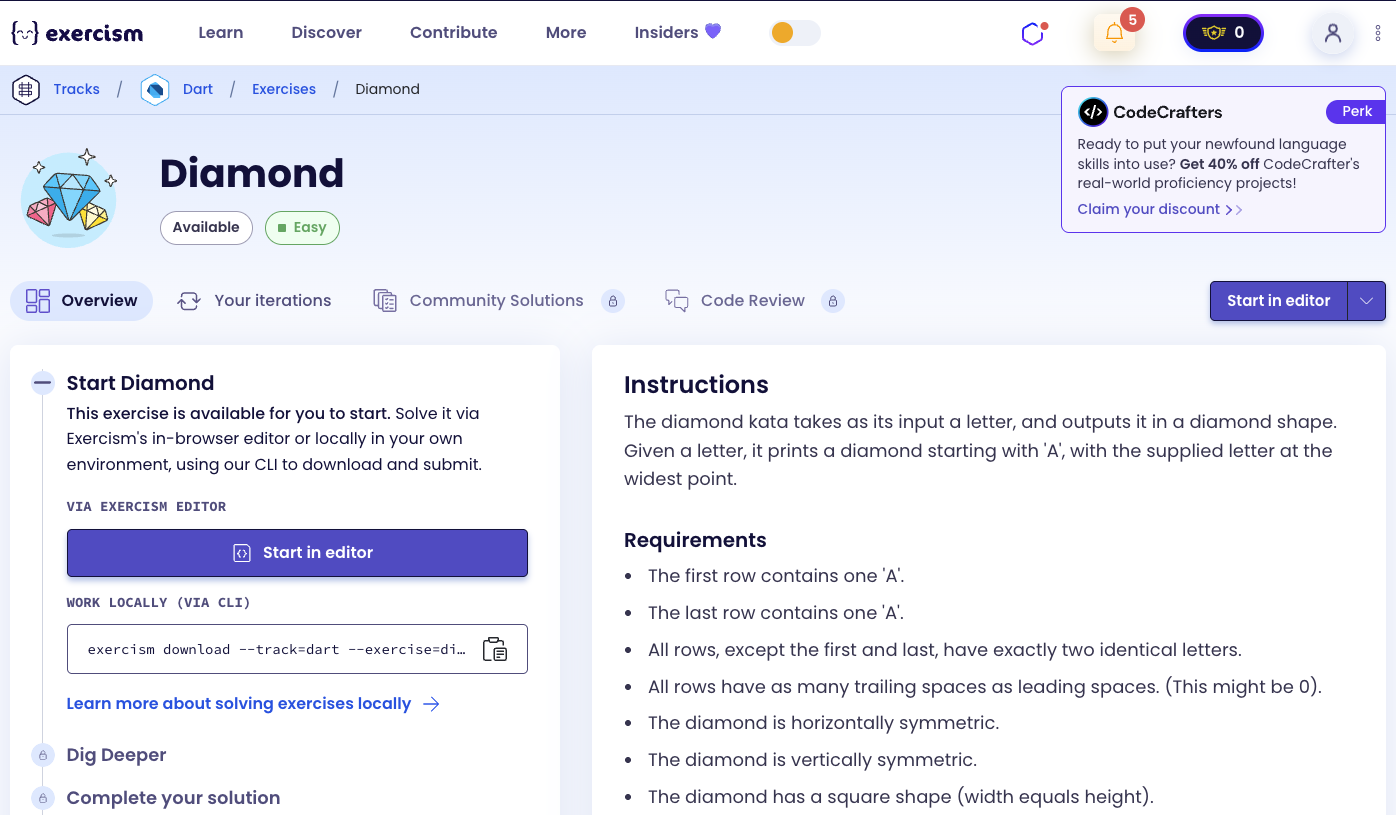
The diamond kata takes as its input a letter, and outputs it in a diamond shape. Given a letter, it prints a diamond starting with ‘A’, with the supplied letter at the widest point.
Requirements
- The first row contains one ‘A’.
- The last row contains one ‘A’.
- All rows, except the first and last, have exactly two identical letters.
- All rows have as many trailing spaces as leading spaces. (This might be 0).
- The diamond is horizontally symmetric.
- The diamond is vertically symmetric.
- The diamond has a square shape (width equals height).
- The letters form a diamond shape.
- The top half has the letters in ascending order.
- The bottom half has the letters in descending order.
- The four corners (containing the spaces) are triangles.
Examples
In the following examples, spaces are indicated by · characters.
Diamond for letter ‘A’:
ADiamond for letter ‘C’:
··A··
·B·B·
C···C
·B·B·
··A··
Diamond for letter ‘E’:
····A····
···B·B···
··C···C··
·D·····D·
E·······E
·D·····D·
··C···C··
···B·B···
····A····
How can we build a diamond?
To build a diamond:
- Convert letter to index: Calculate the numeric position of the letter (A=0, B=1, C=2, etc.)
- Build top half: Iterate from 0 to n, creating lines with ascending letters
- Build bottom half: Iterate from n-1 down to 0, creating lines with descending letters (mirror of top)
- Calculate spaces: For each line:
- Leading spaces:
max - current(decreases as we go down) - Middle spaces:
current * 2 - 1(increases as we go down, except for first row)
- Leading spaces:
- Handle first row: First row (A) has no middle spaces, just leading/trailing spaces
The key insight is that the diamond is symmetric both horizontally and vertically, so we can build the top half and mirror it for the bottom half.
For example, with letter ‘C’ (index 2):
- Top half: A (index 0), B (index 1), C (index 2)
- Bottom half: B (index 1), A (index 0) - mirror of top
- Leading spaces: 2, 1, 0 for top half
- Middle spaces: 0, 1, 3 for top half (first row has 0)
Solution
class Diamond {
  List<String> rows(String letter) {
    final n = letter.codeUnitAt(0) - 'A'.codeUnitAt(0);
    final result = <String>[];

    // Top half + middle
    for (var i = 0; i <= n; i++) {
      result.add(_makeLine(i, n));
    }

    // Bottom half (mirror)
    for (var i = n - 1; i >= 0; i--) {
      result.add(_makeLine(i, n));
    }

    return result;
  }

  String _makeLine(int current, int max) {
    final char = String.fromCharCode('A'.codeUnitAt(0) + current);
    final leadingSpaces = max - current;

    if (current == 0) {
      return '${' ' * leadingSpaces}$char${' ' * leadingSpaces}';
    }

    final middleSpaces = current * 2 - 1;
    return '${' ' * leadingSpaces}$char${' ' * middleSpaces}$char${' ' * leadingSpaces}';
  }
}
Let’s break down the solution:
-
List<String> rows(String letter)- Main method that generates the diamond:final n = letter.codeUnitAt(0) - 'A'.codeUnitAt(0): Converts the letter to a numeric index (A=0, B=1, C=2, etc.)- Gets the Unicode code of the input letter
- Subtracts the code of ‘A’ to get the position (0-based)
final result = <String>[]: Initialize empty list for result rows
-
Top half loop:
for (var i = 0; i <= n; i++)- Build top half including middle:- Iterates from 0 (A) to n (target letter)
result.add(_makeLine(i, n)): Adds each line using the helper method- Creates lines: A, B, C, …, target letter
-
Bottom half loop:
for (var i = n - 1; i >= 0; i--)- Build bottom half (mirror):- Iterates backwards from n-1 down to 0
result.add(_makeLine(i, n)): Adds each line (same helper, different order)- Creates lines: target-1, target-2, …, B, A (mirror of top)
-
String _makeLine(int current, int max)- Helper method to create a single line:final char = String.fromCharCode('A'.codeUnitAt(0) + current): Converts index to letter- Gets code of ‘A’ (65)
- Adds current index to get the letter code
- Converts back to character string
final leadingSpaces = max - current: Calculates leading (and trailing) spaces- For A (current=0, max=2): leadingSpaces = 2
- For B (current=1, max=2): leadingSpaces = 1
- For C (current=2, max=2): leadingSpaces = 0
-
if (current == 0)- Handle first row (single ‘A’):return '${' ' * leadingSpaces}$char${' ' * leadingSpaces}': Single letter with equal leading and trailing spaces- Example:
' A '(2 spaces, A, 2 spaces)
-
final middleSpaces = current * 2 - 1- Calculate middle spaces for two-letter rows:- For B (current=1): middleSpaces = 1*2-1 = 1
- For C (current=2): middleSpaces = 2*2-1 = 3
- For D (current=3): middleSpaces = 3*2-1 = 5
- Pattern: increases by 2 for each row
-
return '${' ' * leadingSpaces}$char${' ' * middleSpaces}$char${' ' * leadingSpaces}'- Build two-letter line:- Leading spaces + first letter + middle spaces + second letter + trailing spaces
- Example for B (current=1, max=2):
' B B '(1 space, B, 1 space, B, 1 space)
The solution efficiently builds the diamond by generating the top half and mirroring it for the bottom half, using helper methods to keep the code clean and maintainable.
A video tutorial for this exercise is coming soon! In the meantime, check out my YouTube channel for more Dart and Flutter tutorials. 😉
Visit My YouTube Channel