Exercism - Bob
This post shows you how to get Bob exercise of Exercism.

Preparation
Before we click on our next exercise, let’s see what concepts of DART we need to consider
So we need to use the following concepts.
String Extensions
Extensions allow you to add new functionality to existing types without modifying their source code. You can add methods and getters to String using extensions.
extension on String {
  bool get isQuestion => this.trim().endsWith('?');
  bool get isYelling => this == this.toUpperCase() && this != this.toLowerCase();
}

void main() {
  String text = "How are you?";
  print(text.isQuestion); // true
}
Boolean Getters
Getters are properties that compute and return a value. Boolean getters are perfect for checking conditions.
extension on String {
  bool get isEmpty => length == 0;
  bool get isNotEmpty => length > 0;
}

void main() {
  String text = "";
  print(text.isEmpty); // true
  print(text.isNotEmpty); // false
}
Conditional (Ternary) Operator
The conditional operator ? : is a shorthand for if-else statements. It’s useful for concise conditional expressions.
void main() {
  int a = 5;
  int b = 10;

  // Ternary operator
  String result = a > b ? "a is greater" : "b is greater";
  print(result); // "b is greater"

  // Nested ternary
  String message = a > b
    ? "a is greater"
    : a < b
      ? "b is greater"
      : "equal";
  print(message); // "b is greater"
}
String Methods
Strings in Dart have many useful methods for manipulation and checking.
void main() {
  String text = "  Hello World?  ";

  // trim() - removes whitespace from both ends
  String trimmed = text.trim();
  print(trimmed); // "Hello World?"

  // endsWith() - checks if string ends with a substring
  bool endsWithQuestion = trimmed.endsWith('?');
  print(endsWithQuestion); // true

  // toUpperCase() - converts to uppercase
  String upper = text.toUpperCase();
  print(upper); // "  HELLO WORLD?  "

  // toLowerCase() - converts to lowercase
  String lower = text.toLowerCase();
  print(lower); // "  hello world?  "

  // isEmpty - checks if string is empty
  bool empty = "".isEmpty;
  print(empty); // true
}
String Comparison
You can compare strings to check if they’re equal or to determine if a string is all uppercase or lowercase.
void main() {
  String text = "HELLO";

  // Check if string equals its uppercase version
  bool isUpper = text == text.toUpperCase();
  print(isUpper); // true

  // Check if string equals its lowercase version
  bool isLower = text == text.toLowerCase();
  print(isLower); // false

  // Check if string is yelling (all caps but has letters)
  bool isYelling = text == text.toUpperCase() && text != text.toLowerCase();
  print(isYelling); // true

  // String with only whitespace
  String whitespace = "   ";
  bool hasLetters = whitespace != whitespace.toLowerCase();
  print(hasLetters); // false (no letters to compare)
}
Introduction
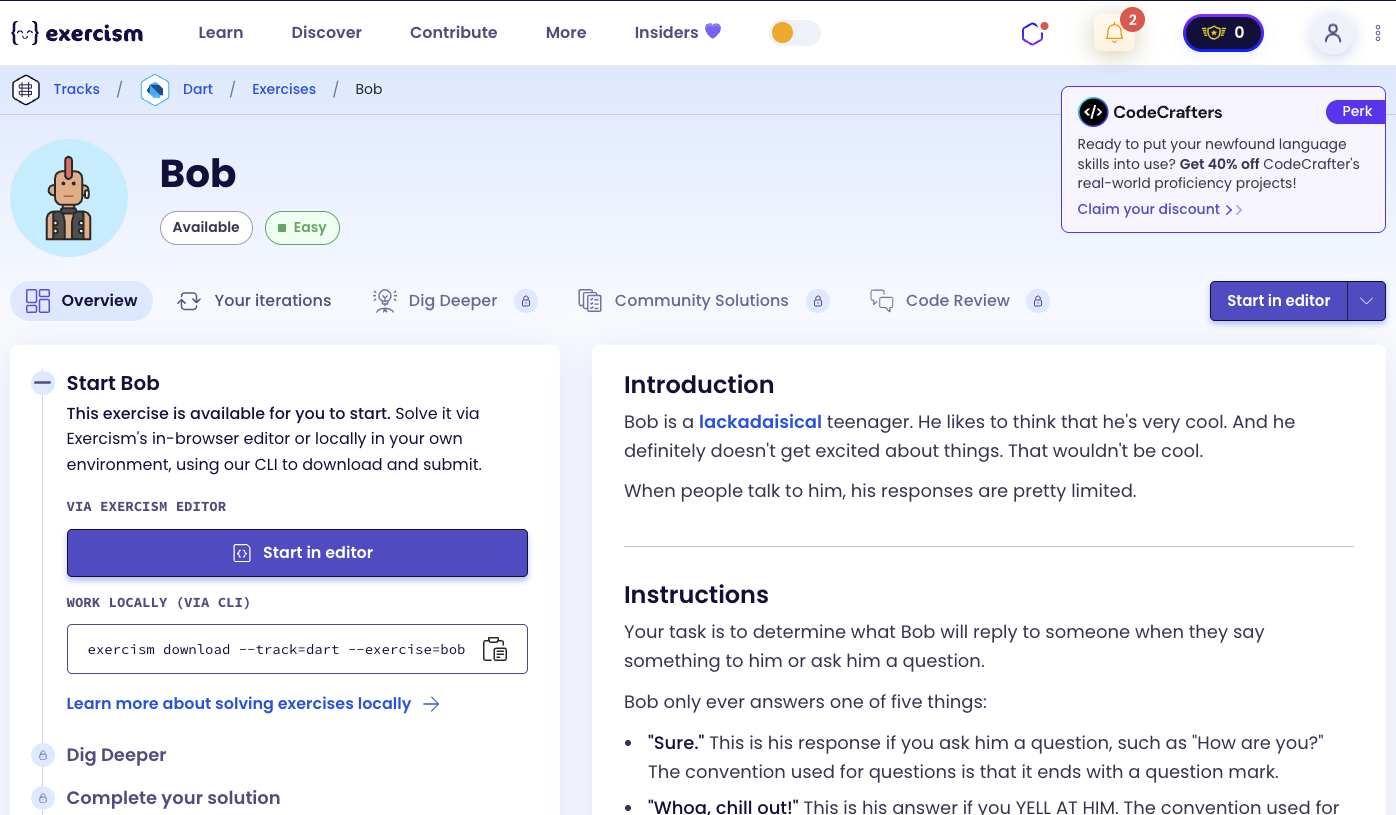
Bob is a lackadaisical teenager. He likes to think that he’s very cool. And he definitely doesn’t get excited about things. That wouldn’t be cool.
When people talk to him, his responses are pretty limited.
Instructions
Your task is to determine what Bob will reply to someone when they say something to him or ask him a question.
Bob only ever answers one of five things:
-
“Sure.” This is his response if you ask him a question, such as “How are you?” The convention used for questions is that it ends with a question mark.
-
“Whoa, chill out!” This is his answer if you YELL AT HIM. The convention used for yelling is ALL CAPITAL LETTERS.
-
“Calm down, I know what I’m doing!” This is what he says if you yell a question at him.
-
“Fine. Be that way!” This is how he responds to silence. The convention used for silence is nothing, or various combinations of whitespace characters.
-
“Whatever.” This is what he answers to anything else.
What is Bob?
Bob is a fictional character representing a typical teenager’s response system. The exercise demonstrates how to handle different types of string inputs and respond accordingly based on patterns like questions, yelling, and silence.
This exercise teaches string manipulation, pattern recognition, and conditional logic in a fun, relatable way.
— Programming Exercises
How can we determine Bob’s response?
To determine Bob’s response, we need to check the input string for different patterns:
- Question and Yelling: If the string is both a question AND yelling → “Calm down, I know what I’m doing!”
- Question only: If the string ends with ’?’ → “Sure.”
- Yelling only: If the string is all caps (and has letters) → “Whoa, chill out!”
- Silence: If the string is empty or only whitespace → “Fine. Be that way!”
- Anything else: → “Whatever.”
The key is checking conditions in the right order, with the most specific (question + yelling) first, then individual conditions, then the default.
Solution
class Bob {
  String response(String saying) => saying.isQuestion && saying.isYelling
    ? "Calm down, I know what I'm doing!"
    : saying.isQuestion
      ? "Sure."
      : saying.isYelling
        ? "Whoa, chill out!"
        : saying.isNothing
          ? "Fine. Be that way!"
          : "Whatever.";
}

extension on String {
  bool get isQuestion => this.trim().endsWith('?');
  bool get isYelling => this == this.toUpperCase() && this != this.toLowerCase();
  bool get isNothing => trim().isEmpty;
}
Let’s break down the solution:
-
response(String saying)- Main method that determines Bob’s response:- Uses nested ternary operators to check conditions in order
- First check:
saying.isQuestion && saying.isYelling- If both true, return “Calm down, I know what I’m doing!” - Second check:
saying.isQuestion- If it’s a question, return “Sure.” - Third check:
saying.isYelling- If it’s yelling, return “Whoa, chill out!” - Fourth check:
saying.isNothing- If it’s empty/whitespace, return “Fine. Be that way!” - Default: Return “Whatever.”
-
extension on String- Adds custom getters to String type:isQuestion: Checks if the string is a questionthis.trim()removes leading/trailing whitespace.endsWith('?')checks if it ends with a question mark
isYelling: Checks if the string is all capsthis == this.toUpperCase()checks if the string equals its uppercase version&& this != this.toLowerCase()ensures there are actual letters (not just numbers/punctuation)- This prevents strings like “123” or ”!@#” from being considered yelling
isNothing: Checks if the string is empty or only whitespacetrim().isEmptyremoves whitespace and checks if nothing remains
The solution elegantly uses extensions to add readable boolean properties to String, making the conditional logic in response() clear and maintainable.
You can watch this tutorial on YouTube. So don’t forget to like and subscribe. 😉
Watch on YouTube